
TITLES & CAPTIONSGive every word
Give every word
its moment.
Start with a style. Make it your own with fonts, outlines, shadows, and backgrounds. Fine-tune cue timing or export your subtitles.
 STYLE PREVIEW
MAKE IT YOURS
 editor.
Your footage. Your style. Your editor.
Cut, caption, color, and mix.
A free creative workspace with room to make it yours.
Free & open source macOS · Windows · Linux
One app. Your whole process.
From that first spark to the final frame.
Four workspaces. One place to bring it all together.
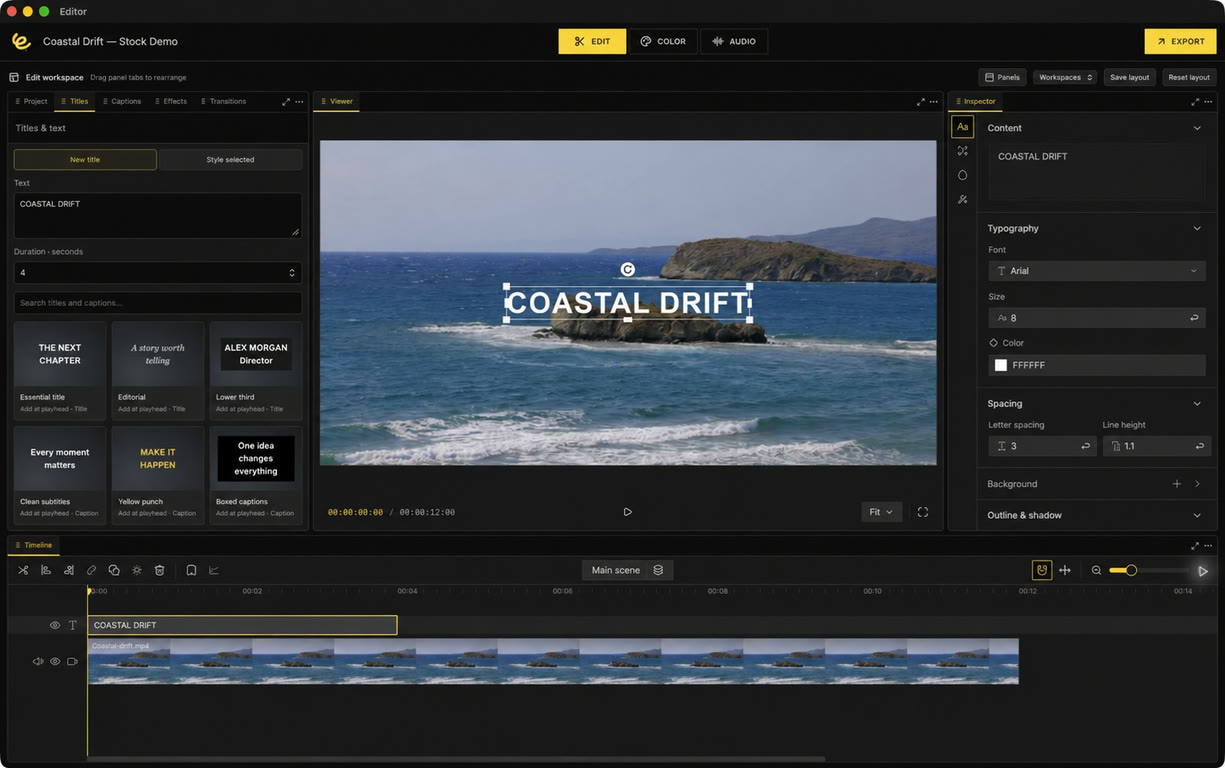
THE EDIT WORKSPACE
Build your story on a multitrack timeline. Add titles, refine captions, layer effects, and arrange every panel around the way you work.
Explore EditA little more creative freedom.
The right tools, right where you need them.
Take your edit as far as your idea goes.
Start with a style. Make it your own with fonts, outlines, shadows, and backgrounds. Fine-tune cue timing or export your subtitles.
STYLE PREVIEWMove tabs, split panels, float tools, and save a layout for the task at hand. Your workspace picks up where you left it.
Shape your look with color wheels, curves, grading nodes, LUTs, and scopes. Save a still. Find your signature.
Mix tracks, clean up sound, build fades, and measure loudness. Deliver a finished mix or individual stems.
Layer creative effects and adjustment clips. Add a dissolve, a wipe, or a dip, then dial in the timing.
Explore effectsThe next chapter is up to you.
Export your finished video with control over resolution, frame rate, bitrate, and audio. Or send your timeline into the next part of your workflow.
editor. Premiere Pro
  DaVinci Resolve
  After Effects
  CapCut Experimental
Editable timeline handoffs or a rendered appearance transfer.
See supported formats and transfer notes.
Creative freedom, built in.
The tools are yours.
So is what you make.
Every workspace is included. No subscription, no paid feature tiers, no export watermark.
Projects are stored on your device. Open the app and get to work, without creating an account.
Built on OpenCut. Open source under the MIT license. Explore the project and help shape the next release.
Your next edit starts here.

Find your Mac’s chip in
Apple menu → About This Mac.

For 64-bit Windows PCs.
Download, install, and start cutting.

Your desktop, your distribution.
Available for x86-64 systems.
Early software, actively developed. Read the installation guide for setup and signing information.
A little help goes a long way.
Find practical guides for every workspace, detailed settings, troubleshooting, and answers to the questions that come up mid-edit.
Yes. Editor is free and open source under the MIT license. All current workspaces are included, with no subscription, paid tier, or export watermark.
No account is required. Projects and imported media are stored locally, and the core editing workflow runs on your computer. Downloads, online media sources, and the first download of a caption transcription model need an internet connection.
Generate captions with the local transcription engine, or import SRT, VTT, and ASS subtitles. Edit words and timings, split or merge cues, and style the text. Export plain SRT/VTT sidecars or render your styled captions into the video.
You can create handoff packages for Premiere Pro, DaVinci Resolve, After Effects, and experimentally CapCut. Editable transfers preserve supported timeline properties; advanced effects and grades are not recreated as native controls. Choose Preserve appearance to render the finished look into the transfer. Read the transfer guide.
This release is a desktop app for macOS, Windows, and Linux. The website is a tour of the product. It doesn’t run the editor or upload your footage.
Share a reproducible bug, suggest a workflow improvement, or contribute code. Editor is an independently maintained fork of OpenCut and is still evolving. Learn about the project.